 NestCut Back to the nesting studio
NestCut · Examples
Real nesting examples
Four real runs from NestCut, shown as they came out of the tool. The shapes are letters and numbers in several styles, chosen because they are awkward to pack: curved, uneven, and some with holes.
4 examples · Last updated: 15 November 2026
How to read these results
- Material used is the area of the placed parts divided by the area of the sheet. Waste is what is left over.
- The parts were nested with more than 3 mm of space between them. At picture size that gap is only a few pixels wide, so neighbouring parts can look as if they touch.
- Each picture is cropped from a screenshot of the result. The numbers beside it are the figures NestCut reported for that run, and one run credit was charged for each.
- Results depend heavily on the shapes. Letters leave gaps that boxes and plates would not, so your own parts may pack tighter or looser than these.
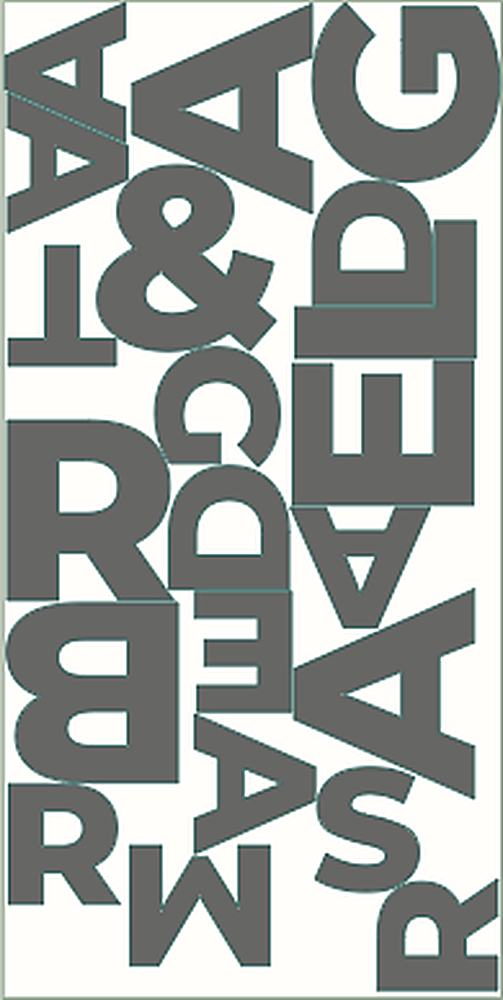
Example 1: 24 bold letters and symbols on a 48 × 96 in sheet
- Sheet
- 48 × 96 in
- Pieces placed
- 21 of 24 (3 unplaced)
- Material used
- 54.6%
- Waste
- 45.4%
- Time
- 5.0 seconds
NestCut reported 3 unplaced pieces. Adding a second sheet, or changing the settings and running again, is how you would place the rest.
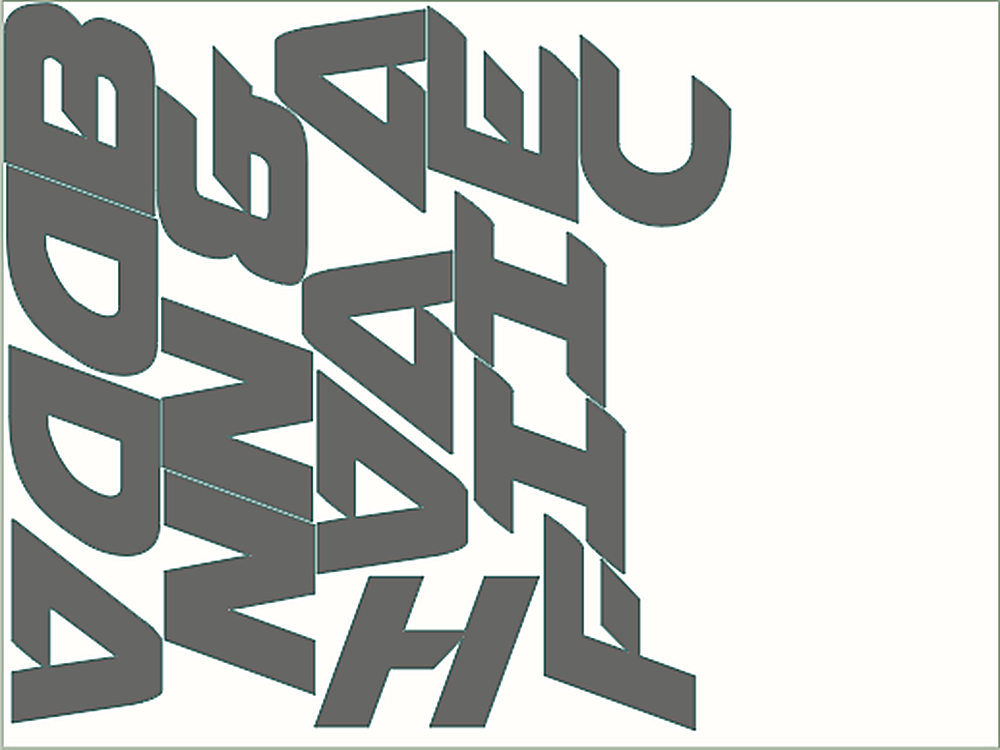
Example 2: 16 slanted display letters on a 48 × 36 in sheet
- Sheet
- 48 × 36 in
- Pieces placed
- 16
- Material used
- 39.3%
- Waste
- 60.7%
- Time
- 3.1 seconds
The unused area on the right counts as waste in the percentage, because the figure is measured against the whole sheet.
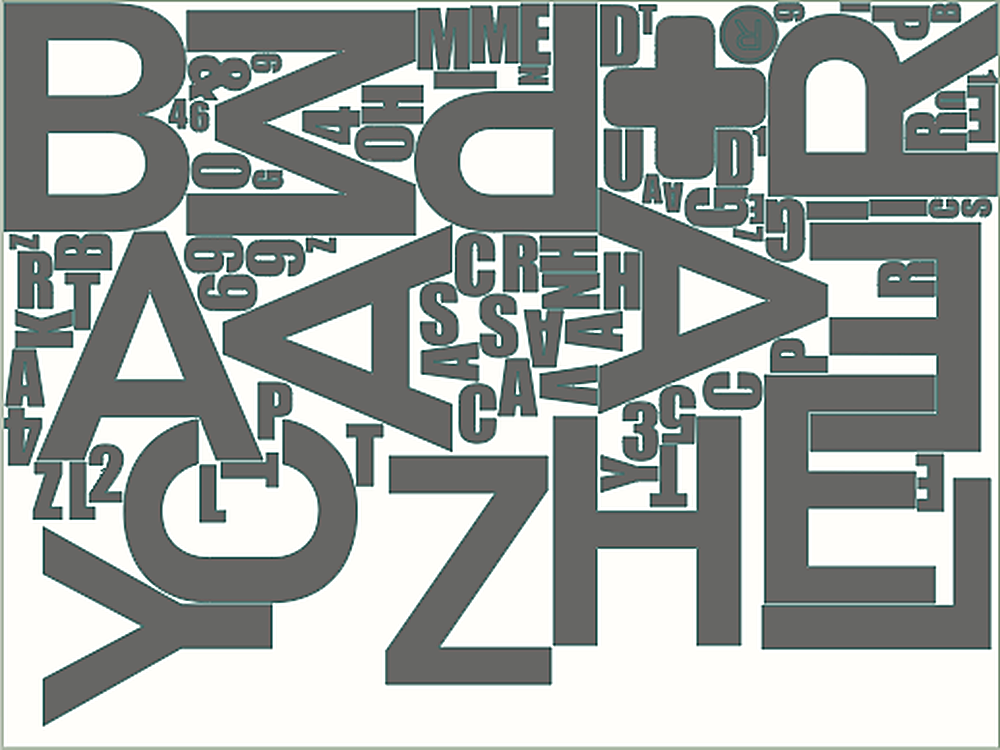
Example 3: 92 condensed letters and numbers on a 48 × 36 in sheet
- Sheet
- 48 × 36 in
- Pieces placed
- 92
- Material used
- 56.1%
- Waste
- 43.9%
- Time
- 18.1 seconds
Letters have open counters and uneven outlines, so they leave more gaps than boxes or plates would.
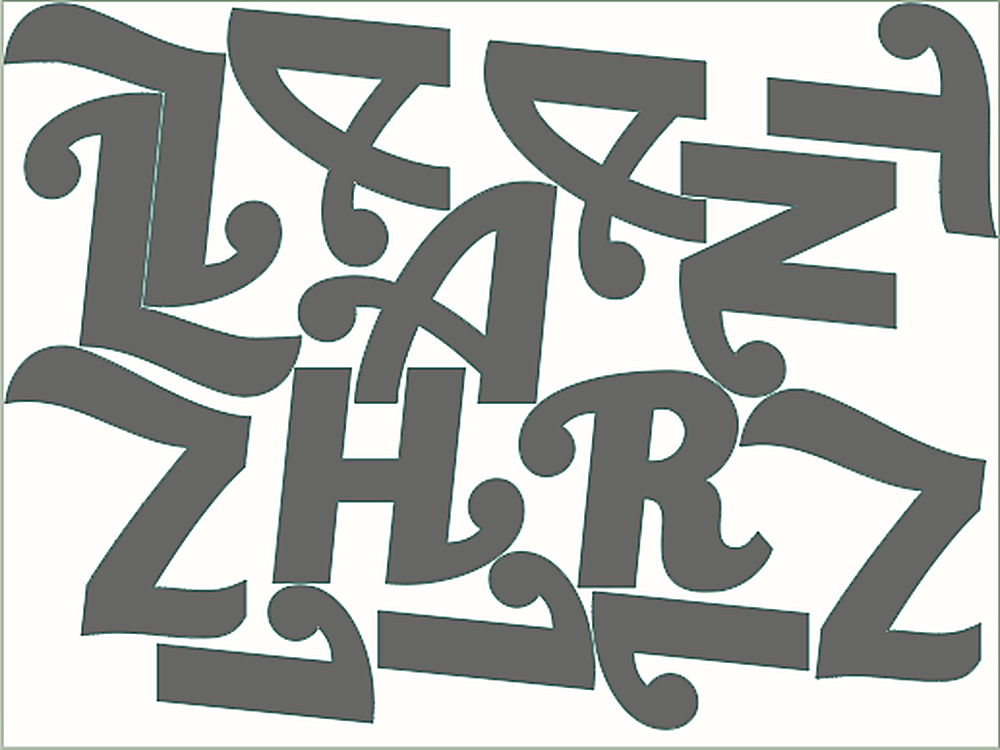
Example 4: 19 decorative curly letters on two 48 × 36 in sheets
- Sheets
- 2 of 48 × 36 in
- Pieces placed
- 19 (14 on sheet 1, 5 on sheet 2)
- Material used
- 32.8% across both sheets
- Sheet 1 only
- 49.0% used
- Waste
- 67.2% across both sheets
- Time
- 5.4 seconds
The overall figure counts the whole of both sheets, including the mostly empty second sheet. Cutting the last 5 parts from an offcut instead of a full sheet would save material.
Try it on your own parts
Open the tool and import your own SVG. Our step-by-step nesting guide and the file preparation checklist explain the settings that change these numbers: spacing, rotations and packing direction.